
Seedbank
Every research idea, from spark to submission.
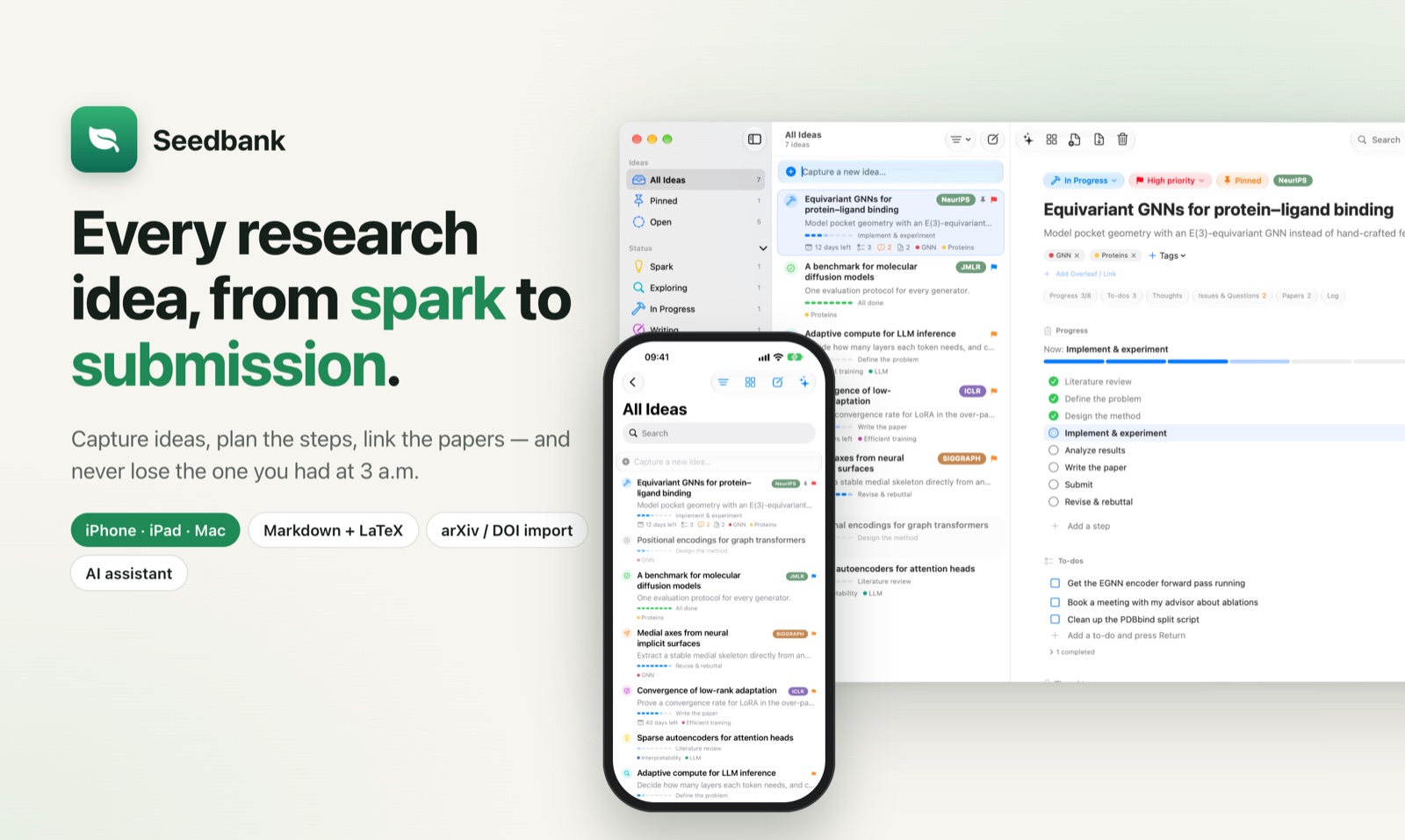
An idea manager for researchers. Each idea carries its own status, step-by-step research checklist, to-dos, open problems, progress log, papers and Markdown + LaTeX notes — open one and you see where it stands and what comes next.
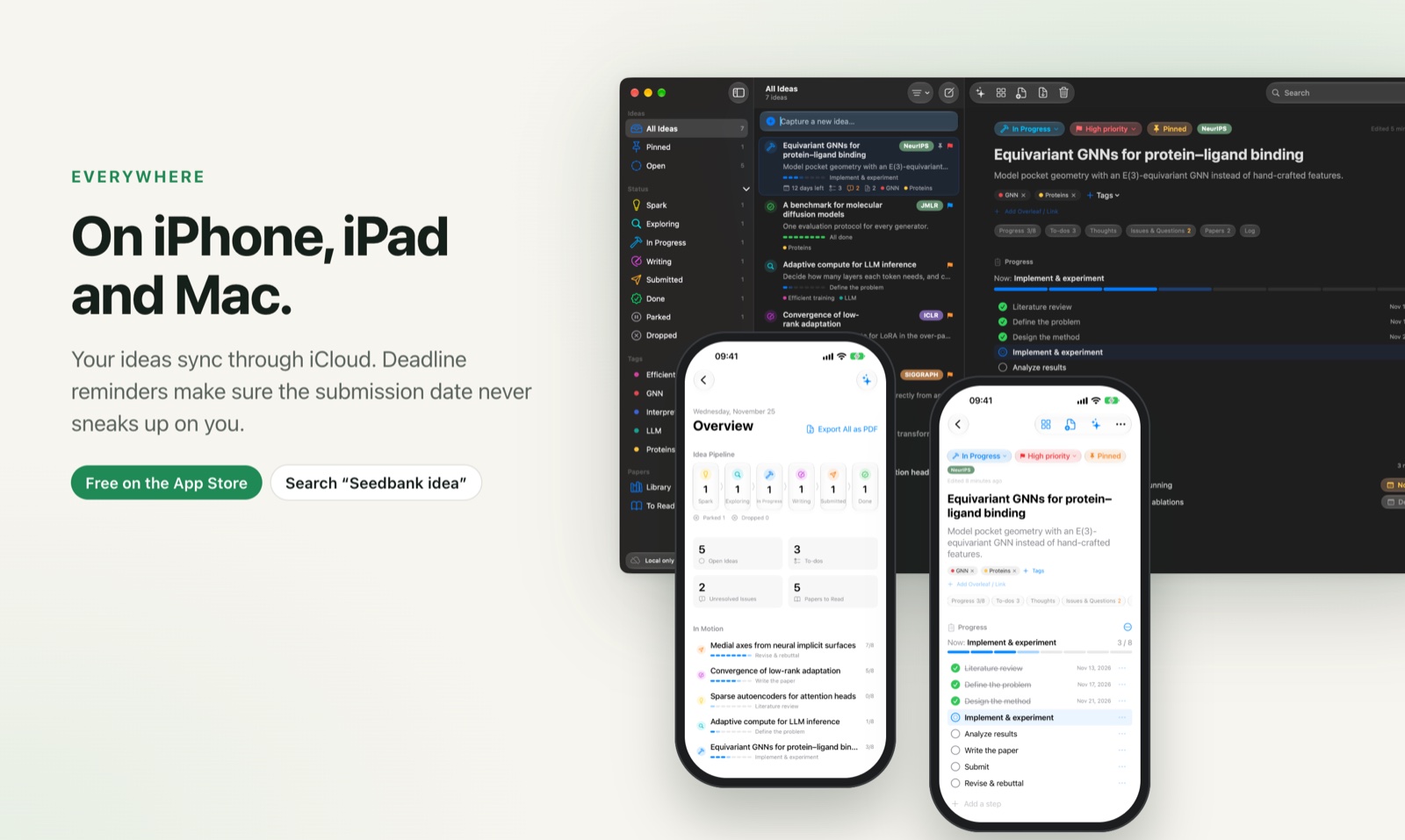
iPhoneiPadMac
Features
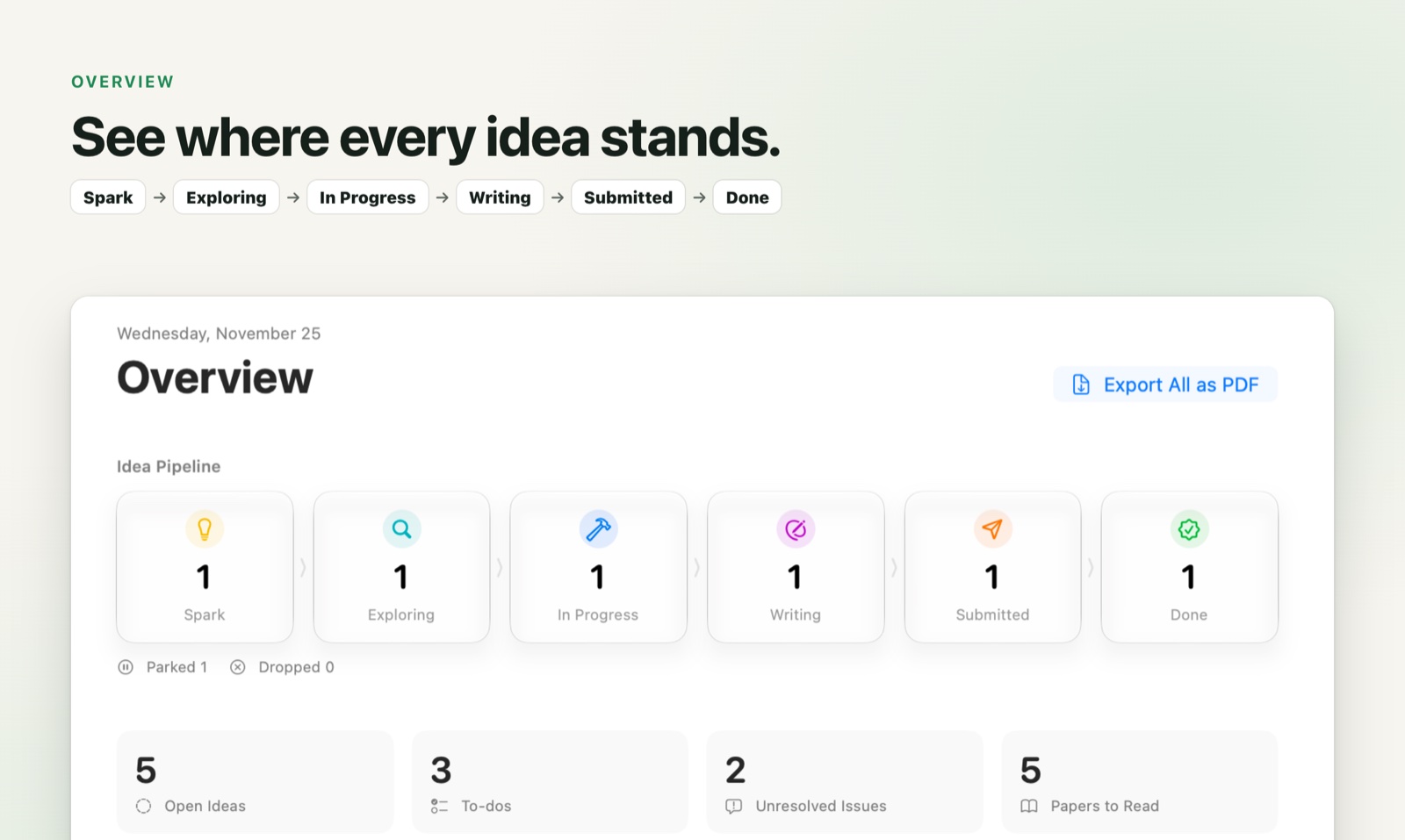
Idea pipeline
Spark → Exploring → In Progress → Writing → Submitted → Done, with priority, pins and tags.
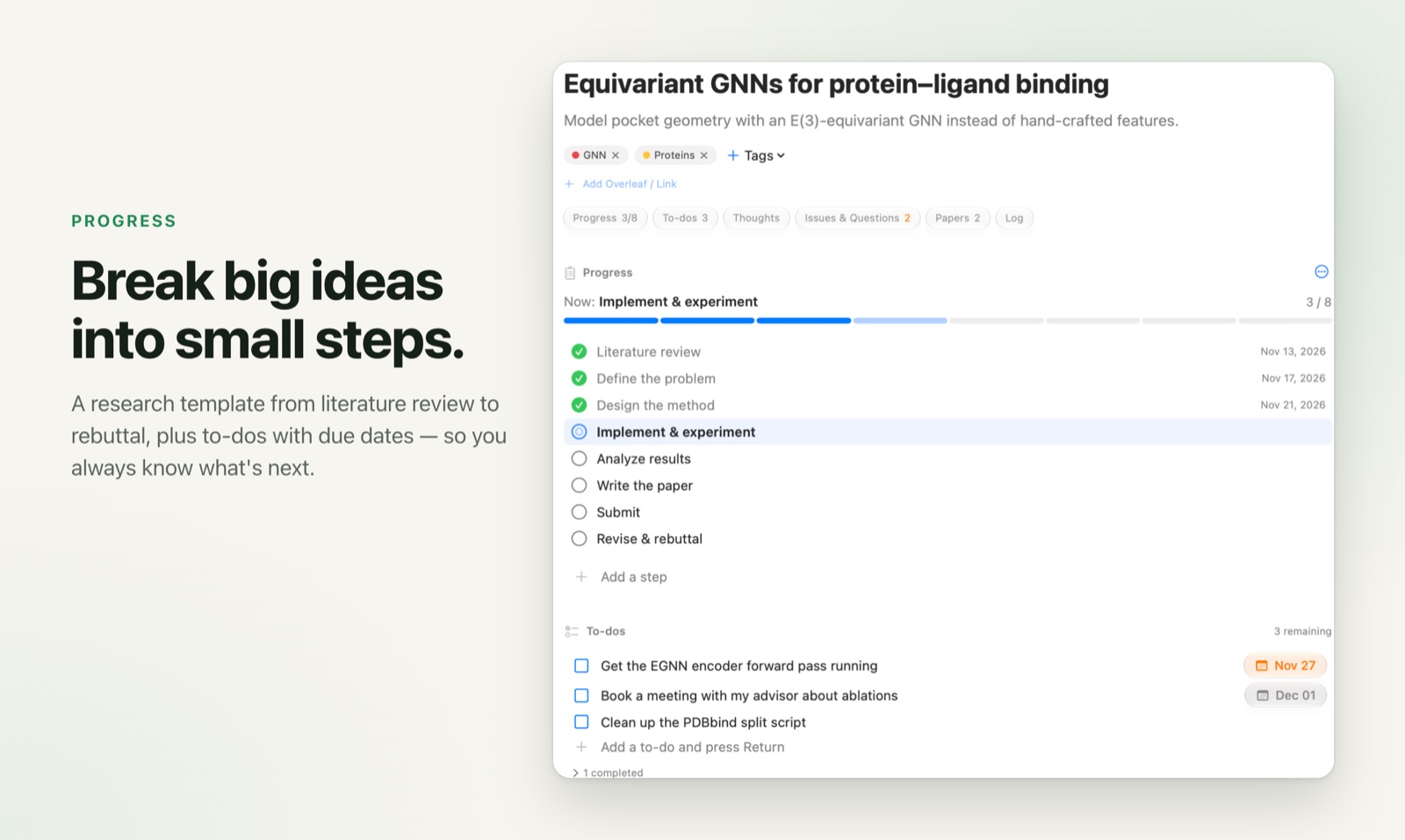
Progress checklist
A research workflow per idea that shows “Now: Implement & experiment (3/8)”.
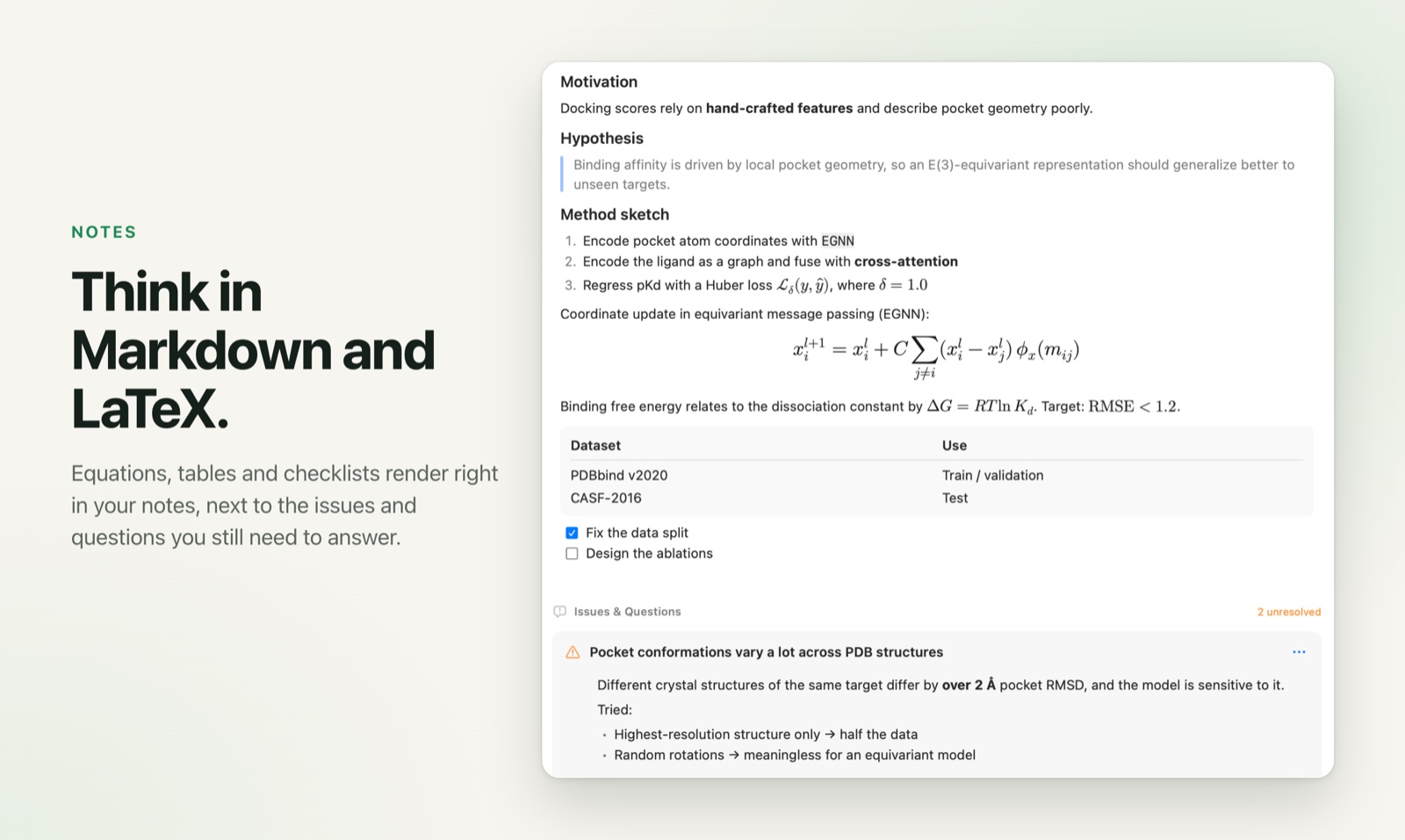
Notes
Markdown with LaTeX, code blocks and tables. Click to edit.
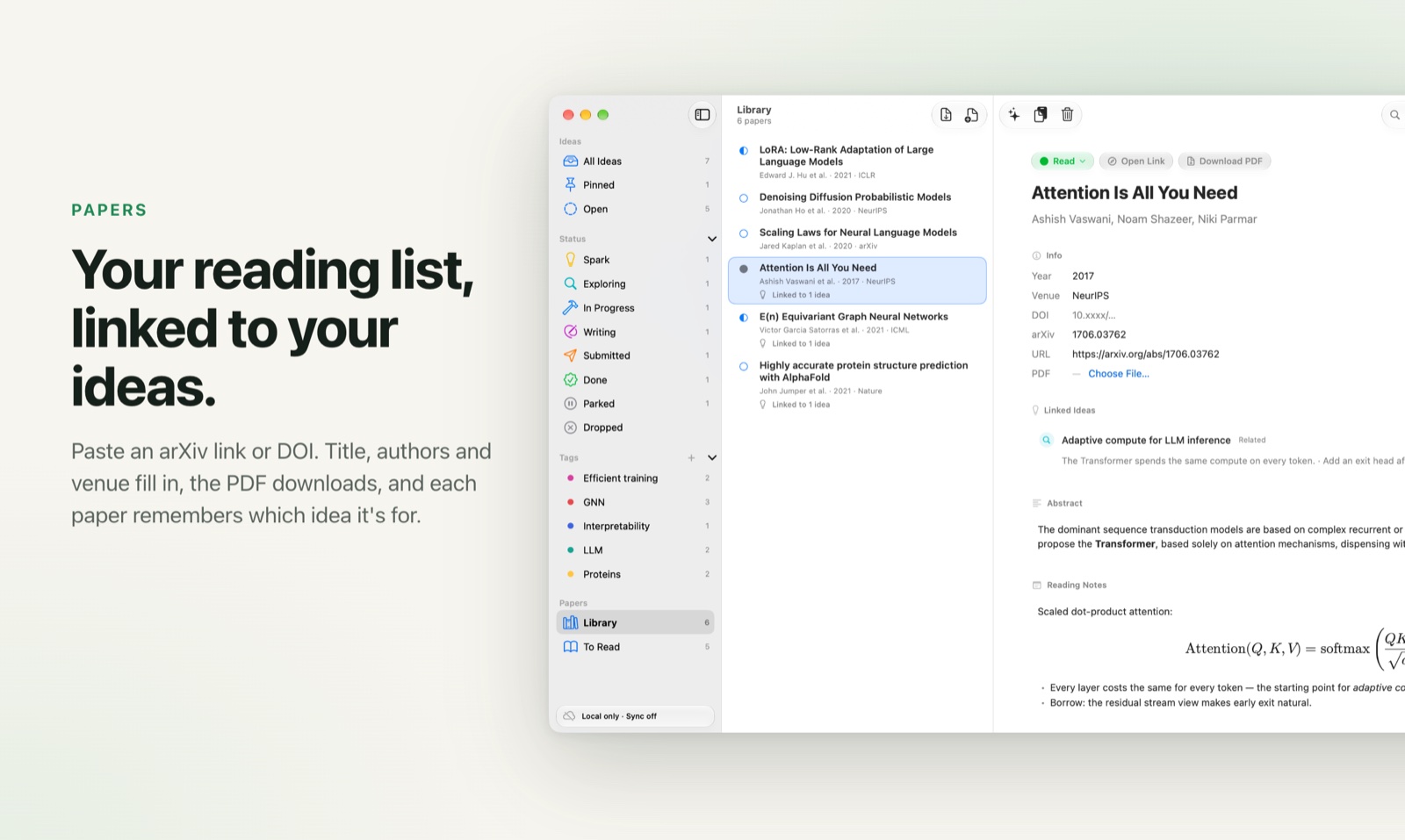
Paper library
Paste a DOI or arXiv link to fetch title, authors, year and abstract. Copy BibTeX in one tap.
Linked papers
Attach papers to an idea as inspiration, baseline or competing work, and note why they matter.
PDFs
Downloads open-access PDFs automatically, or import your own files.
To-dos & open problems
Action items with due dates, plus the problems you are stuck on and how you solved them.
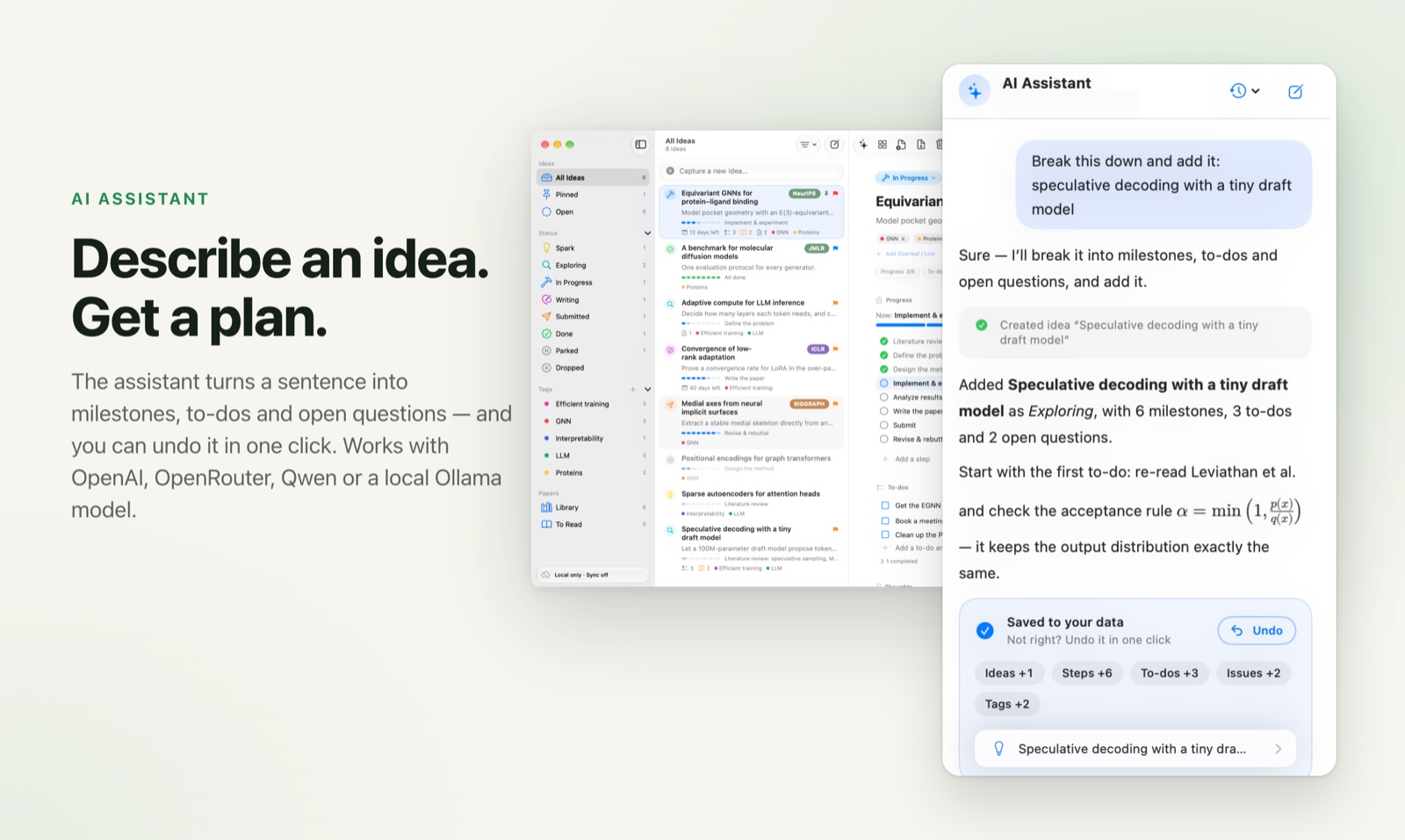
AI assistant
Ask in one sentence to split steps, add to-dos, find papers or change status. Every change can be undone.
Sync, local-first
iCloud, Aurora DSQL or PostgreSQL. Works offline; export to SQLite, JSON or PDF.
Make it yours
8 interface languages, 7 colour themes, light and dark mode.
Pricing
Free
Up to 4 ideas. Local notes, Markdown/LaTeX, paper library, to-dos and database export included.
Seedbank Pro
Monthly, yearly or one-time lifetime purchase. Unlocks unlimited ideas, the AI assistant, cloud sync, PDF auto-download and export, and colour themes. Subscriptions include a free trial.
Privacy
The developer collects no data and runs no server that receives it. Data stays on your device by default, in your own private iCloud database when iCloud sync is on, or in the database you configure. The AI assistant uses your own API key and sends content directly to the provider you choose, only after you agree.
Now supports macOS 13 Ventura (iCloud sync is unavailable on macOS 13 only; Aurora DSQL and PostgreSQL sync still work).